
The WebChat widget is a branded chat bubble at the bottom right of your website. Visitors message you directly; the messages land in the same inbox as email, WhatsApp & co. Embedding takes 2 minutes and is free on every plan.
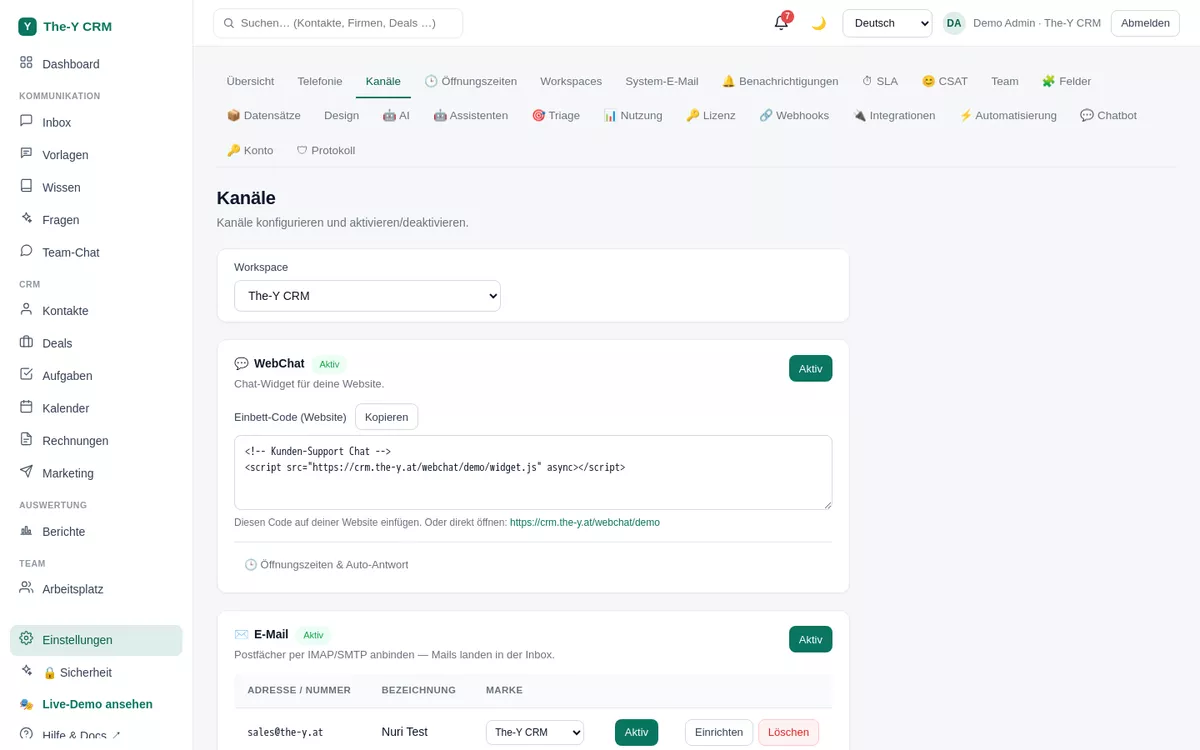
<script src="https://crm.the-y.at/webchat/<your-brand>/widget.js" async></script>Click "Copy".
<your-brand> is your brand slug and is already filled in the code.
</body> tag. WordPress/site builders usually have a "Custom code / footer scripts" field for this.The bubble automatically adopts your brand design. Under Settings → Design you set the accent color, app/brand name and initials per brand — this applies to the bubble, the chat window, the login and the public pages (help portal, booking).
Under Settings → Business hours you set times per channel and an auto-reply within (e.g. "We'll be right with you") and outside (e.g. "We'll get back to you tomorrow"). The auto-reply is sent only on a visitor's first message.
When an anonymous visitor writes, you can create a CRM contact from the chat in the ticket via "Create contact" — from then on everything comes together in their 360° view.
Each brand (workspace) has its own embed code with its own slug and its own branding. That way you run separate chats for multiple websites — all in one instance, one bill.
Check: is the WebChat channel active? Is the script really before </body> and the brand slug correct? Clear the browser/site cache and reload. Open the developer console (F12) and check whether widget.js loads (status 200).
Insert the script only on the desired pages/templates (not globally). Conversely: for the whole website, put it in the shared footer template.
The WebChat stores a session identifier in the visitor's browser so the conversation history is preserved. Mention the chat in your privacy policy; treat chat content like any other customer communication.