
This guide connects an existing email mailbox (e.g. support@yourcompany.com) to The-Y CRM. Afterwards, incoming mail lands automatically as tickets in the inbox, and your replies go back out from the same address.
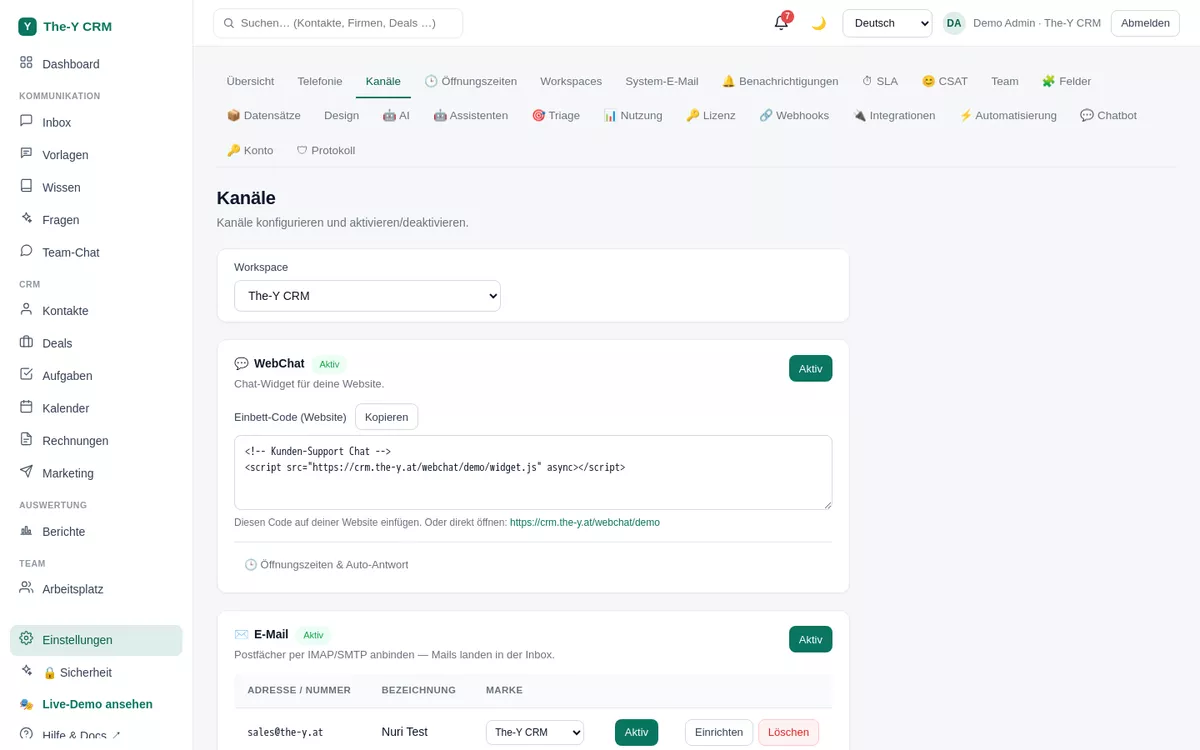
support@yourcompany.com) and optionally a display name.imap.yourcompany.com)993 (SSL/TLS)smtp.yourcompany.com)587 (STARTTLS) or 465 (SSL). The-Y picks the encryption automatically from the port.535 Authentication failed) comes straight from the server — see Troubleshooting.{{user.firstname}} are filled per sending agent automatically; a live preview shows the result.support@ and info@). Which mailbox sends system mail (password reset, invitations) is set under Settings → System email.If you don't know your server details, you'll usually find them in your provider's help under "set up IMAP/SMTP". The most common:
| Provider | IMAP (incoming) | SMTP (outgoing) | Login / note |
|---|---|---|---|
| Gmail / Google Workspace | imap.gmail.com : 993 (SSL) | smtp.gmail.com : 587 (STARTTLS) | App password required (with 2FA on); enable IMAP in the Gmail account |
| Microsoft 365 / Outlook | outlook.office365.com : 993 | smtp.office365.com : 587 | App password with 2FA on; SMTP-AUTH must be allowed in the tenant |
| GMX | imap.gmx.net : 993 | mail.gmx.net : 587 | Enable "POP3/IMAP access" in the GMX account |
| web.de | imap.web.de : 993 | smtp.web.de : 587 | Enable IMAP in the account |
| Own server / host | imap.yourdomain.com : 993 | smtp.yourdomain.com : 587 | Details from your host (Virtualmin/Plesk/cPanel "Email accounts") |
535 Authentication failed / "username or password wrong"The server rejects the credentials. Most common causes: (1) With Gmail/Outlook and two-factor you need an app password instead of the normal password — create it in the security area of your Google/Microsoft account and enter it here. (2) The username is not the full email address (some hosts want e.g. u12345). (3) IMAP/SMTP is not enabled on the mailbox.
wrong version number / SSL error when connectingPort and encryption don't match. Use 993 for IMAP (SSL) and 587 (STARTTLS) or 465 (SSL) for SMTP. The-Y derives the encryption from the port — if you enter e.g. port 587 with forced SSL, this error appears.
If your server's TLS certificate is issued for a different hostname, The-Y retries the SMTP send once with relaxed certificate checking — so sending usually still works. Cleaner is a certificate that matches your mail hostname exactly.
That happens when "Full history" was selected on setup. For a clean start choose "New mail only". You can close already-imported old mail in the inbox.
Check: is the mailbox active (toggle in the channels table)? Is the IMAP host/port correct? The fetch runs in the background about once a minute — wait briefly. If "Test connection" is green but still nothing arrives, check the IMAP status in the email panel.